IMPORTANT! Please read BEFORE joining the Zoom Meeting
You will soon be joining the Open Day registration session via Zoom. Please make sure you install the Zoom app on your computer, tablet, or mobile phone before the meeting starts.
|
Read this article in your language: |
VERY IMPORTANT! To be admitted to the meeting and avoid technical problems, please follow these steps carefully:
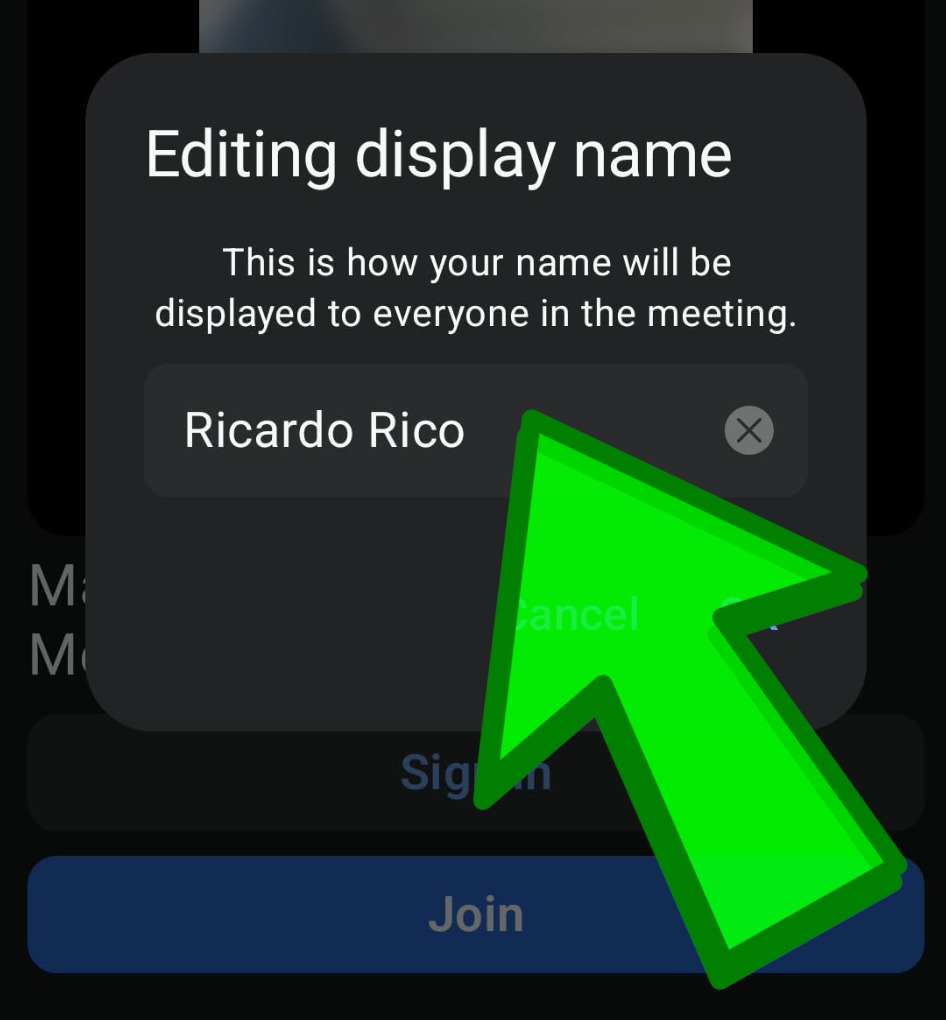
1. Enter your Full Name |
|
In the "Editing Display Name" field, you must enter your full first name and surname. By default, Zoom may display only your initials, nickname, or phone number. We verify attendees by their full name, and participants without a full name may not be admitted from the Waiting Room. |
 |
2. Click "Join", NOT "Sign In" |
|
When opening Zoom, make sure you click "Join" and not "Sign In". The "Sign In" option is intended for teachers and meeting hosts. Students and attendees should simply select "Join". |
 |
Following these steps will help ensure a smooth and successful connection to the Open Day session. We look forward to seeing you there!